
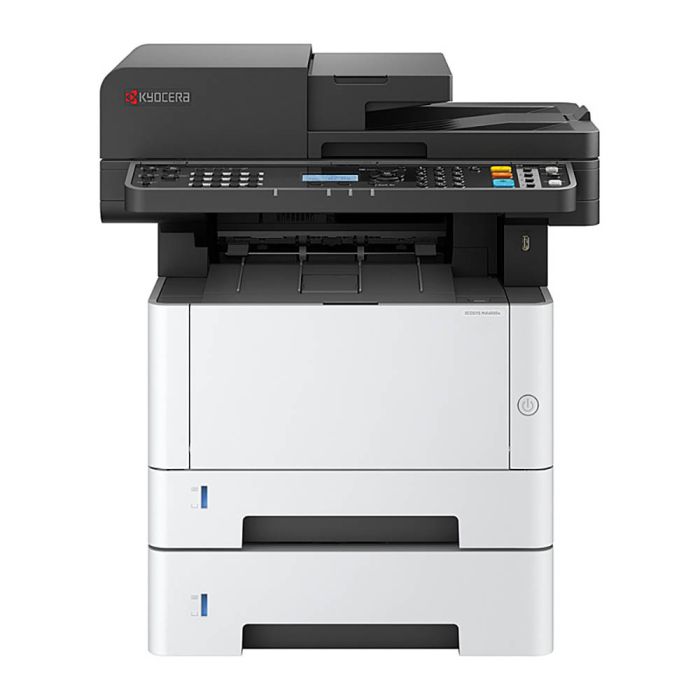
KYOCERA MA4000X MONO LASER MULTFUNCTIONAL PRINTER BLACK
SKU
7119808
$876.27
VIP$814.02The Kyocera MA4000X with PF-1100 Tray and TK-1274 Toner is a robust printing solution for Australian businesses. With fast 19-second warm-up, long-life TK-1274 toner (10,000 pages) and starter toner (3,600 pages), it delivers consistent, high-quality black-and-white printing. The optional PF-1100 250-sheet tray enhances productivity. ECOSYS technology ensures low maintenance and high uptime. Designed for small to medium businesses, schools, and offices, it balances reliability, speed, and affordability for high-volume, professional printing tasks.
| Units of Measure | EACH |
|---|---|
| Availability | ETA 3 days |
| Brand | Kyocera |
| Features | Why Choose This Printer? The Kyocera MA4000X is a high-performance, reliable black-and-white printer for Australian offices needing fast first-print times, long-life toner, and low-maintenance operation. How This Printer Solves Real Problems? Fast, Reliable Printing 19-second warm-up gets you printing immediately. Optional PF-1100 tray increases paper capacity by 250 sheets. Cost-Effective, Low Maintenance ECOSYS components extend printer life and reduce replacements. Long-life toner (10,000 pages) minimizes interruptions. High-Quality Output Consistent black-and-white prints for reports, documents, and workflow sheets. Avoids streaking or smudges with OEM toner only. Office-Friendly Design -Compact footprint for office desktops. Suitable for schools, small offices, or home offices with high-volume needs. Features Printer Type-B/W ECOSYS Laser Toner TK-1274 -(10,000 pages) Starter Toner-3,600 pages Paper Tray-PF-1100 (250 sheets) Warm-Up Time-19 sec Duty Cycle-High-volume office use Connectivity Standard office interfaces Q:What is the toner yield? A: Standard TK-1274 yields 10,000 A4 pages; starter cartridge yields 3,600 pages. Q: How much paper can it hold? A: Standard tray plus optional PF-1100 adds 250 sheets. Q: How fast does it warm up? A: approx. 19 seconds to first print. Q: Why are prints streaky or smudged? A: Often caused by third-party toner; only use OEM to avoid damage. Q: Why does it make ticking noises? A: Mechanical adjustments in fuser or calibration during warm-up; normal operation. Q: Is toner overflow normal? A: Minor toner settling can happen; using OEM prevents excessive spill and protects internal parts. Q: Is it suitable for heavy workloads? A: Yes designed for high-volume small to medium business printing. 40ppm print, copy and scan Duplex printing Single pass duplex scanning Up to 2 optional paper feeders for up to 850 sheets Safety of sensitive data with enhanced security features Integration of personal cloud storage services Compatible with Microsoft Universal Print for seamless printing |